ChatGPT's Desktop Voice Mode Can Now Control Your Computer
Quick verdict
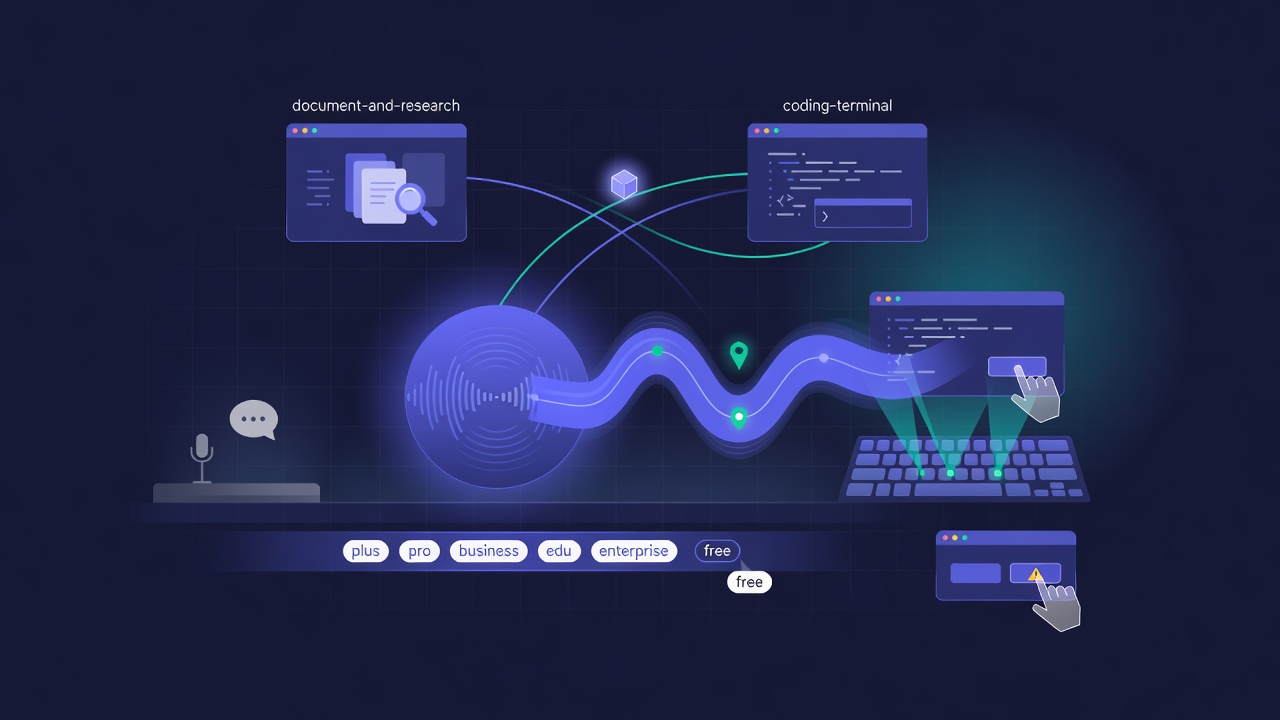
OpenAI rolled a GPT-Live-powered voice mode to the ChatGPT desktop app for Plus, Pro, Business, Edu, and Enterprise users, and this version can control your computer. You talk, it clicks, types, and moves between apps, and it can hand work back and forth across ChatGPT Work and Codex. Some people called it a genuine change in how they use the app. Others expected a bigger announcement and shrugged. Both reactions are fair. Voice that can actually operate the screen is a real capability jump, and OpenAI shipped it like a routine update.
What actually shipped
The headline is that desktop voice stopped being a talking interface and became a doing interface. Before, voice mode answered questions and drafted text. Now it can take actions on your machine, driven by the GPT-Live backend, and coordinate tasks that span OpenAI's other surfaces. If you are in the middle of something in ChatGPT Work and it needs code, it can route that to Codex without you switching windows and re-explaining. The framing is less "assistant you chat with" and more "coworker you delegate to out loud."
A few smaller updates landed in the same stretch. Codex projects now support multiple folders, so an agent can work across more than one part of a repo at once, and published Codex sites picked up analytics. None of those is headline-grabbing alone. Together with computer-controlling voice, they sketch the same picture: OpenAI is wiring its surfaces into one workflow you can drive by talking.
Why the muted reaction
The mixed response is the interesting signal. When a demo shows an assistant clicking around your screen on command, the gap between the demo and your Tuesday afternoon is where skepticism lives. Voice control that works flawlessly on stage often gets tripped up by the messy, cluttered state of a real desktop. People who called this a letdown were not saying the feature is bad. They were saying the leap from "watch it work" to "trust it with my actual screen" is the hard part, and a rollout announcement does not close that gap by itself.
There is a practical caution too. An assistant that can operate your computer is exactly as useful as it is careful. The upside is delegating real multi-step work by voice. The downside is an action model taking a wrong turn in an app that matters, which is the same trust problem every computer-use agent runs into. Worth watching closely before you hand it anything irreversible.
Video: ChatGPT desktop advanced voice mode
A walkthrough of the desktop voice experience and what it can drive on your machine.
Who this actually helps
The people who get the most out of this are the ones already living inside the OpenAI stack: ChatGPT Work for docs and research, Codex for code, and now voice tying them together. If that describes your day, hands-free handoffs between those surfaces save real steps. If it does not, the value is thinner, because a voice that controls one company's apps is only as broad as that company's apps. That is the quiet tradeoff in every deeply integrated assistant, and it is the same reason a lot of people prefer a setup that spans multiple AI models rather than betting everything on one vendor's ecosystem.
Why it matters
Voice has been the feature everyone demos and few people use daily, mostly because talking to an assistant that can only answer is slower than typing. Voice that can act changes that math. Delegating a multi-step task out loud, and having it actually happen across your tools, is a different proposition than dictating a prompt. OpenAI shipping it as a low-key update, rather than a keynote moment, is itself a tell: computer-controlling voice is becoming an expected feature of the assistant, not a headline. The companies that make you type for everything now have a gap to close.
FAQ
What can ChatGPT desktop voice mode actually do now?
It can control your computer by voice, taking actions like clicking and typing, and it coordinates work across ChatGPT Work and Codex. It is powered by the GPT-Live backend and available to Plus, Pro, Business, Edu, and Enterprise users.
Which plans get it?
Plus, Pro, Business, Edu, and Enterprise on the ChatGPT desktop app. It is not part of the free tier at rollout.
Is it safe to let it control my computer?
Treat it carefully. Computer-use agents can take a wrong action in an app that matters, so it is best kept to reversible, low-stakes tasks until you trust its judgment on your setup.
Do I need to be all-in on OpenAI to benefit?
Mostly, yes. The handoffs are between OpenAI surfaces, so the value is highest inside that stack. If you use several providers, a model-agnostic workspace like one subscription for all AI models keeps you flexible.
Sources
- @OpenAI - GPT-Live desktop voice rollout with computer control
- @OpenAIDevs - multi-folder Codex projects
- @OpenAIDevs - analytics for published Codex sites
- @reach_vb - on the voice coordination across surfaces
- @kimmonismus - the "expected a bigger announcement" reaction
Further reading
Try all the models mentioned in this article
Admix gives you GPT-5, Claude, Gemini, and 350+ AI models in one app. Compare responses side by side. Try it for 7 days for $1.99.
Try Admix for $1.99